
Most Bitcoin security advice is about keeping hackers out: strong backups, no screenshots of seed phrases, do not type your words into a website that looks “official.” All good. All necessary.
Plausible deniability answers a different question. What if someone is standing in front of you, asking you to unlock the wallet, and refusing is not really an option?
Security people call this a “$5 wrench attack.” Encryption can be excellent and still lose if you can be made to type the password yourself. A single-password wallet has no answer there. You unlock it, and everything is on the table.
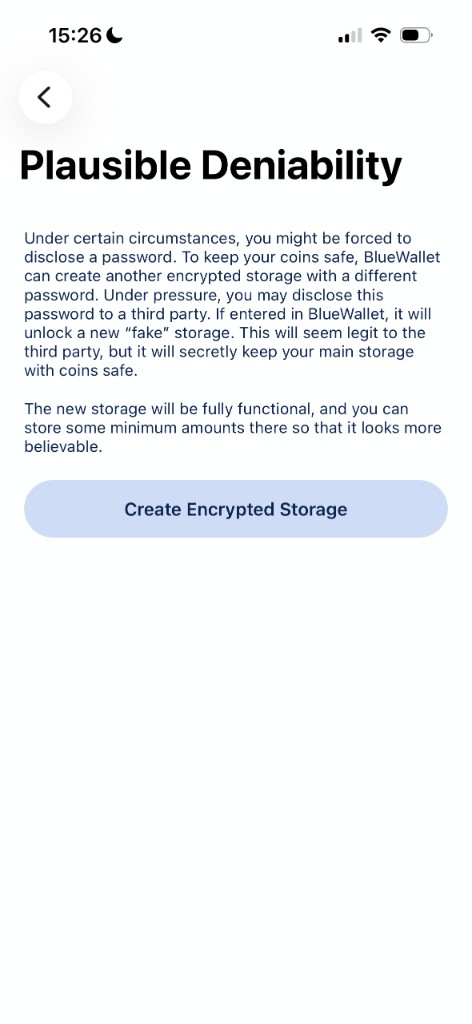
A few wallets, BlueWallet included, give you a second answer: a decoy storage that looks like the whole app.
How it works
The idea is simple. The app can hold more than one encrypted storage, each behind a different password. Looking at the unlock screen, there is no way to prove how many storages exist.
In practice:
- Your primary storage holds the wallets you actually care about.
- A hidden storage sits underneath, with its own password.
- Type the primary password, you see the real wallets. Type the hidden one, you see only that storage. There is no toggle, no badge, no “secret vault” menu item waving from the corner.
If you are pressured to unlock the app, you can hand over the decoy password. A small, believable balance lives there. Your real holdings stay in the other storage, behind a password you do not reveal. The “plausible” part matters: the app does not leak that anything is missing, so the decoy can look like the entire wallet.
This is different from “a hidden wallet” you can spot if you poke around. The property that counts is that the existence of the extra storage is not detectable.
What it protects against (and what it does not)
This feature is for coercion: a forced unlock, a border search, anyone who can make you open the app and show what is inside.
It is not a substitute for:
- Backups. You still need seed phrases for every wallet in every storage. Forget a storage password without a backup and those coins are gone. See Backup and export a wallet.
- A clean device. If malware is already on the phone, extra encrypted buckets will not save you.
- Hiding that you use Bitcoin at all. It can hide how much. It cannot hide the BlueWallet icon on your home screen.
Also worth knowing: turning off Password Protected on the storage you are currently in permanently deletes the other storages. There is no undo. Back up first, then read that sentence again.
How to set it up
- Turn on Password Protected first. Settings → Security. That password becomes your real, primary storage password. Details in Password Protected.
- Keep your actual holdings in that primary storage. This is the one you do not hand over.
- Create a hidden storage from Settings → Security → Plausible Deniability. Use a different password. Put a small, believable amount of Bitcoin there. An empty decoy looks like an empty decoy.
- Do not store both passwords together. Reusing one password across storages also defeats the point. Memorize them, or keep the decoy somewhere you could actually produce under stress and the real one somewhere else.
- Practice switching. Close the app completely, reopen it, unlock each storage once. Muscle memory is cheaper to build at home than at a checkpoint.
There is no in-app switch. You close BlueWallet, open it again, and type the password for the storage you want.
Who actually needs this
Not everyone. Most people get more safety from a verified seed backup, keys that never leave the device, and multisig once the stack gets serious. That is still the boring, correct advice.
Plausible deniability is a specific tool for a specific threat:
- Crossing a border with savings you would rather not itemize on request.
- Work or activism where someone might demand the phone be unlocked.
- Anyone who wants a real answer to “what if I have to open this,” instead of hoping that day never arrives.
If you want the tap-by-tap version with every warning spelled out, use Plausible Deniability. For the bigger custody picture, start with Self-Custody Bitcoin: The Complete Guide.
Related reading: Self-Custody Bitcoin: The Complete Guide · Plausible Deniability · Password Protected · Multisig Vault