BIP47 payment codes let you share a single, reusable identifier with people who pay you often. Behind the scenes, BlueWallet still uses unique on-chain addresses for each sender, so your wallet addresses are not exposed on the blockchain the same way as with a plain receive address.
Payment codes work with on-chain HD Bitcoin wallets in BlueWallet. Lightning wallets do not use this feature.
Enable payment codes
Open the wallet, tap ⋯ → Wallet details, then scroll to Options. Turn on Reusable and shareable code (BIP47).
A Contacts row appears above Options once payment codes are enabled.
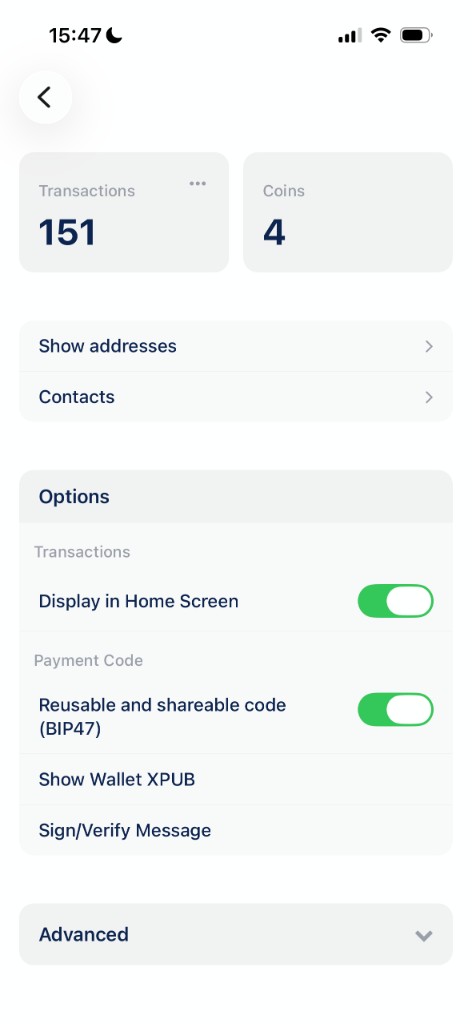
See Wallet details for other settings on this screen.
Share your payment code
Tap Receive on the wallet screen. Switch the tab from Address to Payment Code.
Your payment code appears as a QR code and as text below it. Share the QR or tap Copy. The sender can paste or scan it in a BIP47-compatible wallet.
Payment codes are universal addresses that avoid disclosing your individual wallet addresses. Not every wallet or service supports them yet.
Manage contacts
Go back to Wallet details and tap Contacts. Here you keep a list of payment codes you send to or receive from.
Tap Add Contact and paste the other person’s payment code. For standard BIP47 codes, BlueWallet may ask you to send a small notification transaction on-chain first. This is how wallets announce themselves to each other. Wait for that transaction to confirm before paying the contact.
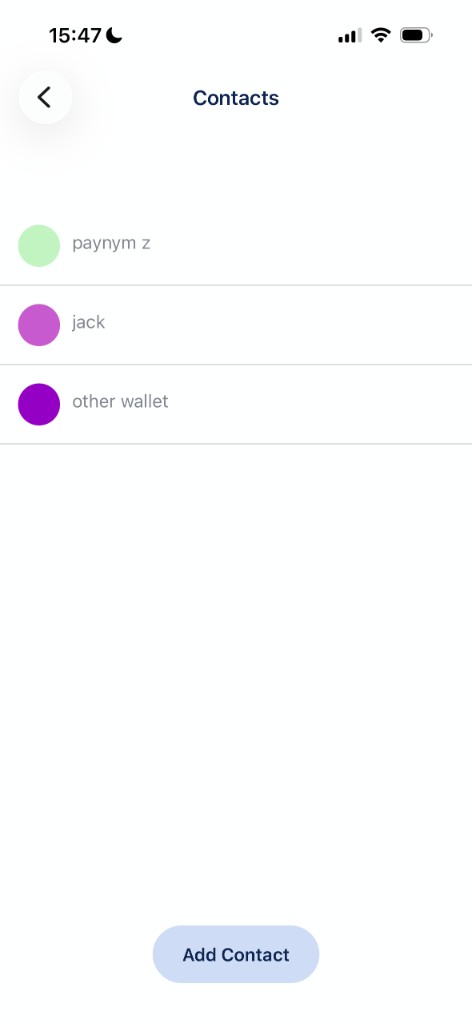
Tap a contact to open actions:
- Pay this contact: start a send with their payment code filled in.
- Rename contact: give them a friendly label.
- Copy Payment Code: copy their code to the clipboard.
- Hide contact: remove them from the list without deleting history.
Contacts you have paid or received from may also appear automatically when BlueWallet discovers their payment code on-chain.
Send to a payment code
You can pay someone in two ways:
- From Contacts: open Contacts, tap the contact, then Pay this contact.
- From Send: open Send, paste a payment code into the address field, or open the ⋯ menu and choose Insert contact to pick from your list.
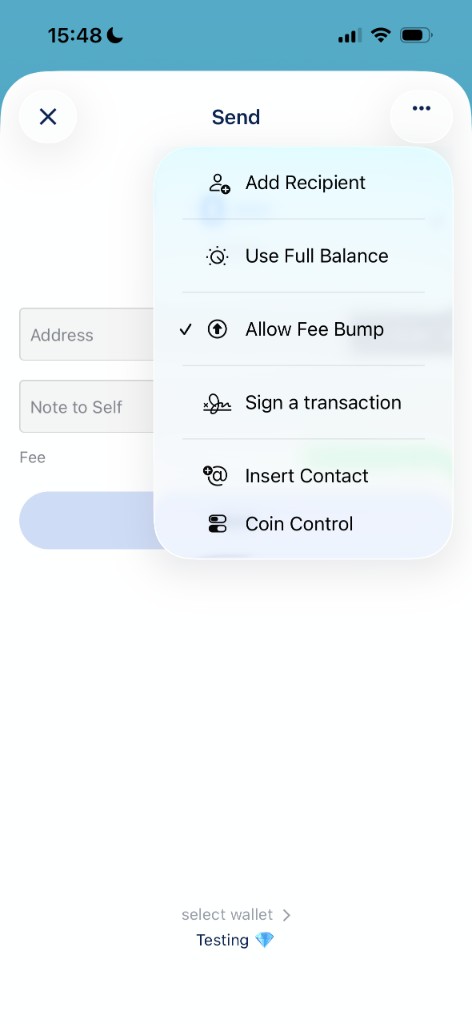
If you paste a BIP47 payment code that is not in your contacts yet, BlueWallet prompts you to add it first (including the notification transaction when required).
Tips
- Payment codes improve privacy compared to reusing the same Bitcoin address, but they are not as private as Lightning or fresh single-use addresses.
- Both wallets need BIP47 support for payments to work smoothly.
- You can still use regular Address receive when talking to wallets that do not understand payment codes. See Receive a Bitcoin transaction.
- To look up individual derived addresses, use See the list of addresses.