
The keys stay on the hardware wallet. BlueWallet is the glasses and the mailbox. It watches the account, builds the payment, and broadcasts what the device already signed.
That split is the whole point. Your everyday phone is online and convenient. The seed never takes the trip.
This post does one job: send from a PSBT-compatible hardware wallet using BlueWallet as watch-only. If you wanted a Vault instead, that how-to already shipped. If you wanted an old phone as the cold side, that lives in the offline docs.
What you need
- BlueWallet on the phone you carry. Official builds on the download page.
- A PSBT-compatible hardware wallet that can export an extended public key and sign a Partially Signed Bitcoin Transaction (QR, file, or SD card, depending on the device).
- The public side of that wallet: usually a zpub for Native SegWit. Copy or export it from the device. Never export the seed into BlueWallet for this flow.
Do not import the recovery phrase onto the phone “just to make it easier.” That turns the hardware wallet into expensive jewelry. Watch-only is the path: How to set up a watch-only wallet in BlueWallet.
Put the hardware wallet on BlueWallet as watch-only
Same three taps as How to set up a watch-only wallet in BlueWallet.
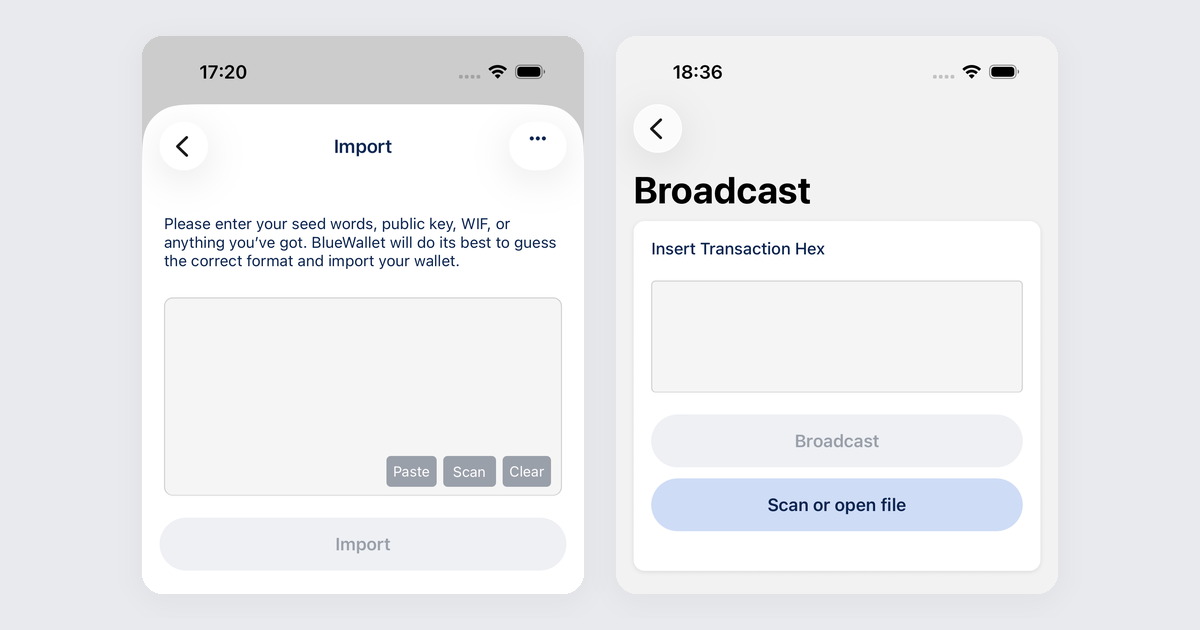
- Tap +, then Import wallet.
- Paste or scan the extended public key from the hardware wallet. A single address only watches that one output. An XPUB watches the account as new coins arrive.
- BlueWallet treats it as watch-only because there is no private key in the payload. If the import asks for a seed, you grabbed the wrong QR.
On many devices the export is labeled something like Electrum / Native SegWit / XPUB. zpub is the usual pair for Native SegWit. You can also pull it later from Wallet details, then Show Wallet XPUB, on any BlueWallet that already holds the keys offline.
Build the payment on the phone
Open the watch-only wallet. Tap Send. Enter the address and amount. Pick the fee. Confirm.
BlueWallet cannot sign. It builds a PSBT and offers it as a QR (often animated for larger transactions) or as a file. That is the unsigned payment. It is not live on the network yet.
Sign on the hardware wallet
Take the PSBT to the device the way that device expects:
- QR: scan what BlueWallet shows. Sign on the device. Scan the signed result back into BlueWallet.
- File / SD: export the PSBT from BlueWallet, move it to the device, sign, bring the signed file back.
Exact menus differ by brand. The shape does not: unsigned PSBT out, signed PSBT in. The generic dance is Sign a transaction offline.
Verify the address and amount on the hardware screen before you approve. The phone can lie. The device that holds the keys should not.
Broadcast from BlueWallet
Import the signed PSBT back into the watch-only wallet (scan or file). Review once more. Tap send. BlueWallet broadcasts. The hardware wallet never needed Wi-Fi for that step.
If broadcast fails, the signature is usually fine and the network is busy or the fee is too low. The coins are not gone. You still have a signed transaction you can try again or broadcast later.
Common mistakes
- Importing the seed into BlueWallet. You wanted a view and a builder. You created a hot wallet. Use the XPUB.
- Signing without reading the device screen. PSBT malware on a phone is why the hardware exists. Read the destination and the amount on the cold screen.
- Watching one address forever. If the hardware wallet gave you an XPUB, use it. Fresh receive addresses exist for a reason.
- Leaving the only backup as “the device in the drawer.” The hardware wallet can die. The seed on paper or steel is still the backup.
When not to use this
If the keys already live on this phone, you do not need a hardware wallet for that wallet. Just send.
If you need more than one key to spend, that is a Vault, and the hardware wallet can be one of the cosigners.
If you have no hardware wallet and an old phone to spare, Use BlueWallet offline as a cold wallet and How to Turn an Old Phone Into a Bitcoin Cold Wallet are the same air-gap idea without buying a new gadget.
Related reading: Sign a transaction offline · How to set up a watch-only wallet in BlueWallet · Use BlueWallet offline as a cold wallet · How to Turn an Old Phone Into a Bitcoin Cold Wallet · How to create a multisig vault in BlueWallet