Every on-chain Bitcoin wallet in BlueWallet derives many addresses from a single seed. The Addresses screen lists them all, with balances, transaction counts, and whether each address is for receiving or change.
This guide applies to HD Bitcoin wallets (SegWit and similar). Lightning wallets use invoices instead of on-chain address lists.
Open wallet details
From the home screen, open the wallet you want to inspect. Tap ⋯ in the top-right corner to open Wallet details.
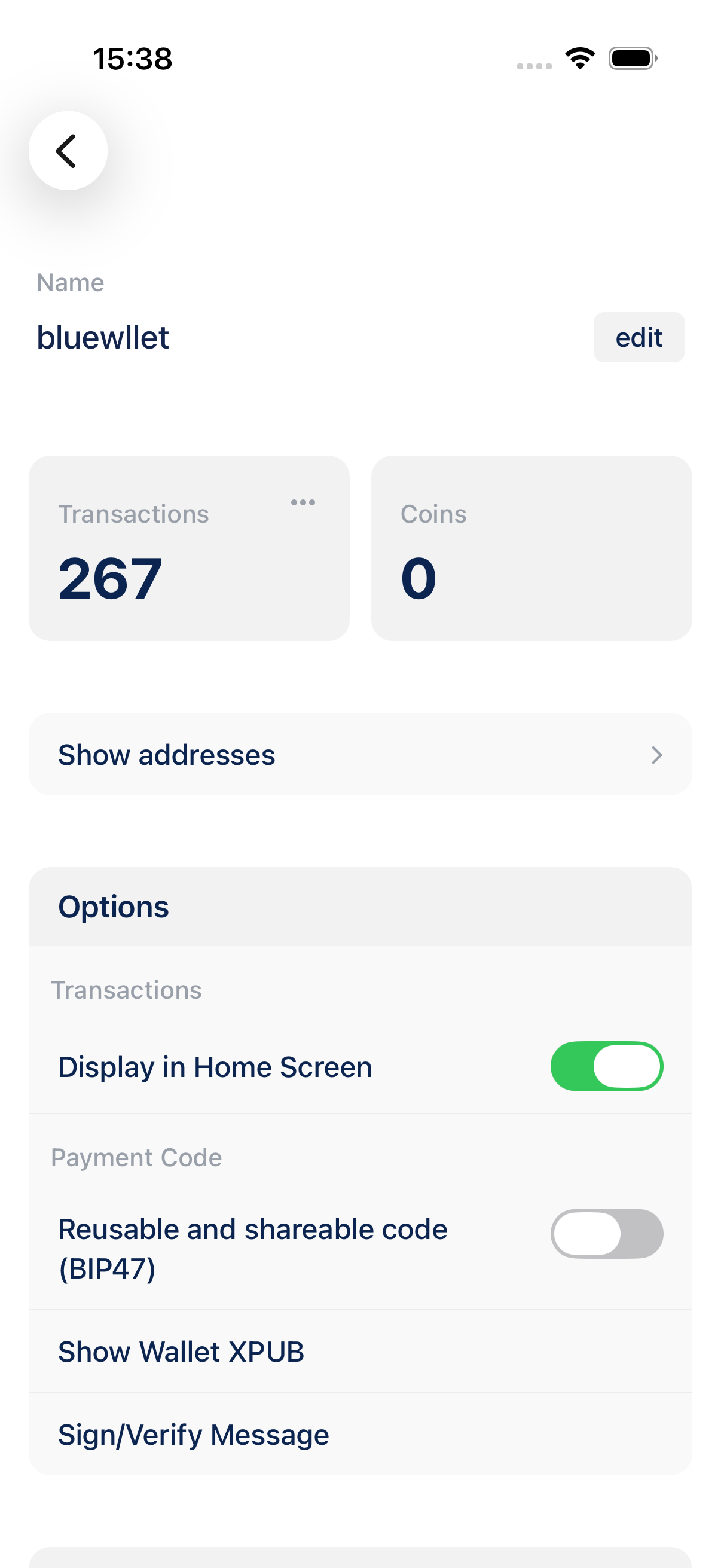
Show addresses
Tap Show addresses. BlueWallet opens the Addresses screen for that wallet.
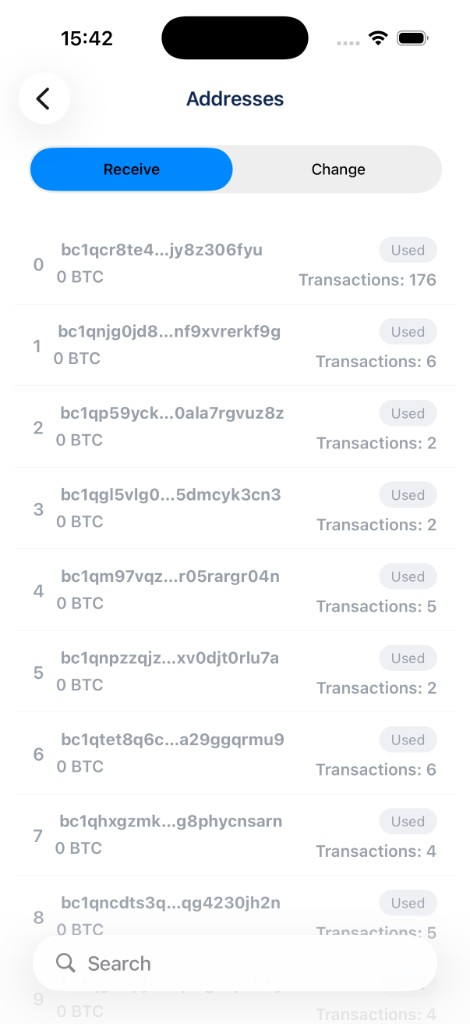
Receive and Change tabs
At the top, switch between:
- Receive: external addresses used when you tap Receive or share a QR code. These are the addresses you give to senders.
- Change: internal addresses BlueWallet uses to return leftover sats when you send a payment.
Each row shows the address index, the address itself, its balance, a type badge (Receive, Change, or Used), and how many transactions used that address.
Search and actions
Use the search bar in the header to find an address by typing part of it.
- Tap an address to open the receive screen for that specific address (QR code and copy).
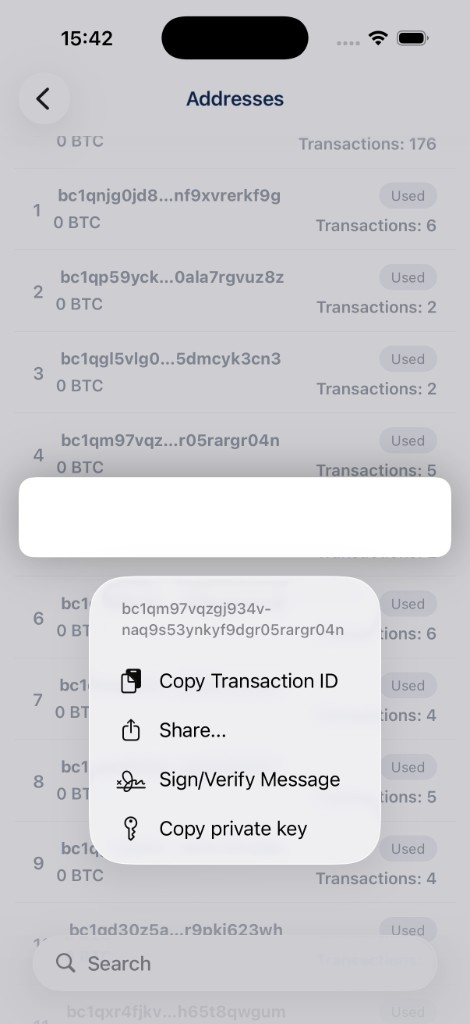
- Long-press an address for more options: copy, share, sign/verify a message, or export the private key (advanced; requires confirmation and biometrics).
When to use it
- You want to confirm which address received a payment.
- You are auditing wallet activity or reconciling with an exchange withdrawal.
- You need to copy a specific past receive address without generating a new one.
Tips
- For privacy, prefer sharing a fresh receive address (via Receive) rather than reusing an old one from the list.
- Used badges mark addresses that already have transaction history on the blockchain.
- To check whether an arbitrary address belongs to any wallet on this device, use Is it my address? in Settings → Tools.
- Watch-only HD wallets also support this screen; Lightning and simple watch-only addresses do not.