Sending bitcoin from BlueWallet means creating an on-chain transaction: you choose who receives it, how much to send, and the network fee. This guide walks through a standard send from a Bitcoin wallet (not Lightning).
Open your wallet
From the home screen, open the Bitcoin wallet you want to send from.
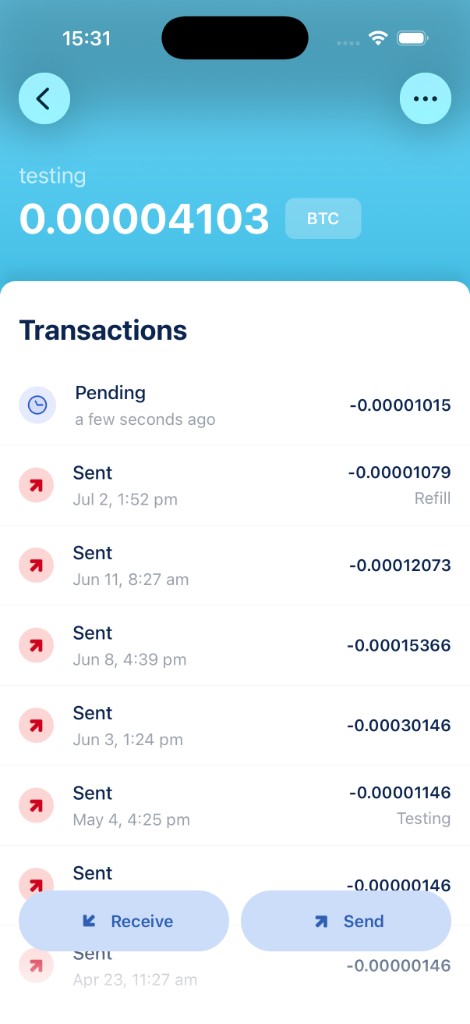
Tap Send at the bottom of the screen.
Enter address and amount
On the send screen, paste or scan the recipient’s Bitcoin address, then enter the amount.
- Tap the address field to paste an address, or use the scan button to read a QR code.
- Enter the amount in BTC, sats, or your local currency. Tap the unit button to switch.
- Review the fee estimate. Tap it to choose a faster or cheaper fee rate if needed.
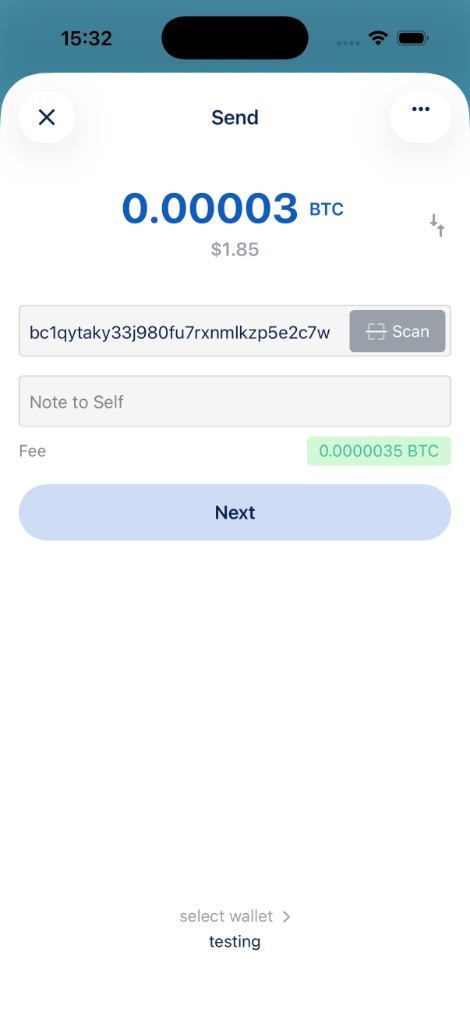
When everything looks correct, tap Next.
Review and confirm
The confirmation screen shows the final amount, recipient address, and network fee. Double-check the details before broadcasting. On-chain payments cannot be reversed once confirmed.
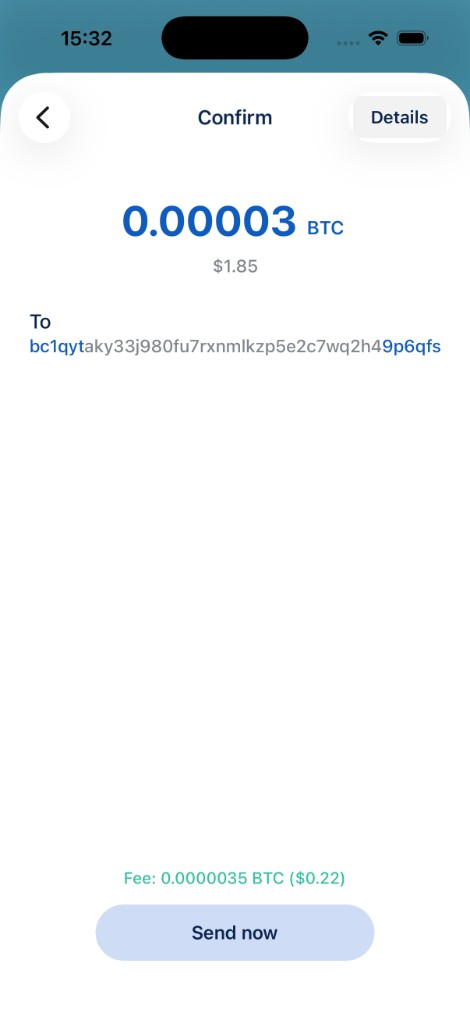
Tap Send now to broadcast the transaction to the Bitcoin network. You can track its status from the wallet’s transaction list. See Transaction status screen and Pending transactions.
Tips
- Always verify the address you are sending to. Malware and phishing can swap clipboard addresses.
- If the fee seems high, try a lower fee rate. The trade-off is longer confirmation time.
- For more control over which coins are spent, use Coin control before sending.
- Lightning payments use a different flow; this guide applies to on-chain Bitcoin wallets only.