
Real cold storage usually means buying a dedicated hardware wallet. Keys stay offline. The internet never gets a vote. That works, and it is a solid choice.
There is also a free option sitting in a lot of drawers right now: an old phone, wiped clean, put in airplane mode forever, and used only to sign transactions. Same core idea. Different price tag. One of them cost you $150. The other was already collecting dust next to a charger you never use.
This is not a “good enough until I buy real hardware” workaround. A phone that never reconnects to a network after the wallet is created is air-gapped. The network cannot phone home if the phone has no home line.
Why this works
“Cold storage” just means your private keys live on a device that never touches the internet. It is not about looking fancy. It is about whether those keys ever share a room with Wi-Fi, mobile data, or a curious malware sample.
An old phone qualifies if you:
- Wipe it completely first, so its previous life (apps, accounts, mystery PDFs) does not tag along.
- Put it in airplane mode and leave it there. Forever. Not “mostly forever.”
- Use it only to create a wallet, sign transactions, and keep the keys offline. Broadcasting stays on your everyday phone.
Your connected phone becomes a watch-only companion. It can see balances and build transactions. It never holds the private keys. The two phones pass unsigned and signed transaction data back and forth with QR codes, like a very serious game of show-and-tell.
What you’ll need
- An old smartphone that can still run a wallet app. Slow is fine. Stylish is optional. Destined for a landfill is perfect.
- Your everyday phone, for the online watch-only side.
- Cameras on both devices, so they can read each other’s QR codes.
- A pen and paper (or steel backup) for the seed phrase. Not Notes.app. Not a screenshot. Not “I will remember it, I have a great memory.”
Step-by-step setup
- Factory reset the old phone. Wipe accounts, apps, photos of brunch, all of it. You want a clean device with no baggage.
- Get the wallet app on it, then go offline for good. Install BlueWallet while you still have a brief connection if you need to, then turn on Airplane Mode and Offline Mode and do not look back. From this point on, that phone is a signing brick with a screen.
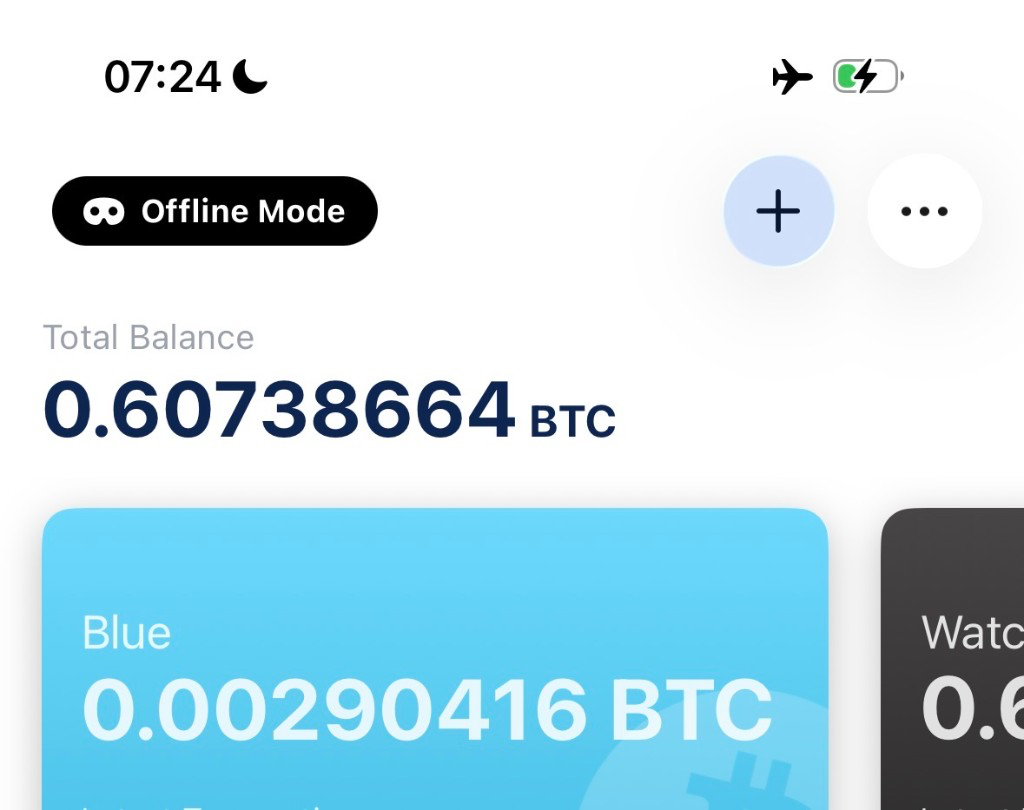
- Create a fresh wallet on the offline phone. Let it generate a new seed phrase. Do not import a phrase that has ever lived on an internet-connected device. That would be bringing yesterday’s risk into today’s vault.
- Write down the seed phrase, verify it, and store it somewhere that is not either phone. Paper works. Steel works better if your threat model includes fire, floods, or enthusiastic pets. See Backup and export a wallet for the walkthrough.
- Export the public wallet info from the offline phone as a QR code. Public keys only. The private keys stay put.
- Import that as a watch-only wallet on your everyday phone. Now you can check balances and prepare spends without dragging the keys online. Details live in Sign a transaction offline.
- To spend: build the transaction on the watch-only phone, scan it onto the offline phone, sign it there, scan the signed transaction back, and broadcast from the online phone. The offline phone never needs to reconnect. Not even “just this once.”
Common mistakes
- Reconnecting “just once.” Air-gapping is binary. One friendly Wi-Fi reunion and your offline guarantee resets to zero. There is no such thing as mostly air-gapped, the same way there is no such thing as mostly pregnant.
- Restoring an old seed you used online. If that phrase ever touched the internet, this setup is not a clean cold wallet. Start fresh.
- Skipping backup verification. An offline phone that dies, paired with a seed phrase you never double-checked, is a very expensive paperweight.
- Treating the offline phone as trash. It still needs a passcode. It should still be stored somewhere sensible. Losing it is recoverable if your seed backup is solid, but it is still annoying, and annoyance is underrated as a security failure mode.
Old phone vs. dedicated hardware wallet
An old-phone setup and a dedicated device (Trezor, Ledger, Passport, Jade, Keystone, and friends) share the same headline promise: keys generated and stored offline. The practical differences matter once you zoom in:
- Cost: free vs. $50 to $200+.
- Durability: phone batteries sulk after years in a drawer. Purpose-built hardware usually handles long naps better.
- Extra defenses: dedicated devices often add secure elements and tamper resistance that a normal phone does not have.
- Multisig: for larger holdings, use the old phone as one key in a multisig vault alongside hardware wallets. No single gadget becomes the whole story.
Buying hardware can leak who you are
Buying a dedicated device usually means giving a company (and a shipping partner) your name, email, phone, and home address. Your keys may stay offline while your identity gets filed under “person who bought a Bitcoin vault.” That list is useful to phishers, and in the worst cases to anyone hunting homes worth targeting.
This keeps happening. Ledger’s 2020 e-commerce breach exposed roughly a million customer emails, plus names, phones, and physical addresses for hundreds of thousands of buyers. On August 13, 2026, Trezor said a breach at shipping partner ShipMonk hit about 13,700 customers with similar order data. In both cases the companies said the devices themselves were fine. The leak was who bought them and where they were shipped.
An old phone you already own skips that checkout form. No new vendor. No shipping label. No fresh CRM entry advertising that this address likely holds coins.
For a first cold storage setup, or for a moderate stack you want offline without buying anything new, an old phone is a real option. Not a cosplay vault. Not a temporary hat. A working cold wallet that started life as a phone.
If you want the full BlueWallet-specific walkthrough with every toggle named, use Use BlueWallet offline as a cold wallet. And if you are still sorting the bigger “why leave the exchange” question, start with Self-Custody Bitcoin: The Complete Guide.
Related reading: Self-Custody Bitcoin: The Complete Guide · Use BlueWallet offline as a cold wallet · Watch-only Wallet · Sign a transaction offline