A cold wallet never touches the internet. Its only job is to hold a seed phrase and sign transactions. You can turn any spare phone or tablet into a cold wallet with BlueWallet by keeping it permanently offline and using Offline Mode together with Airplane Mode.
This is the same idea behind signing a transaction offline: a watch-only wallet online builds the transaction, and your air-gapped device signs it without ever connecting to a server.
Advantages of an offline cold wallet
- No remote attack surface. A device that never connects to Wi-Fi, mobile data, or Bluetooth cannot be reached by malware, phishing sites, or a compromised Electrum server.
- Seed phrase never touches an online device. You create or import the recovery phrase directly on the offline phone, so it is never typed, copied, or displayed on a computer connected to the internet.
- Works with your existing setup. Pair the offline device with a watch-only (zpub) wallet on your everyday phone, exactly like Sign a transaction offline or any air-gapped hardware wallet (Passport, Jade, Keystone, and others).
- Low cost. Any old phone you already own can become a dedicated signer. No extra hardware to buy.
- Full control. Unlike a hardware wallet, you can inspect, back up, and restore the same seed phrase in any BIP39-compatible wallet.
Get a dedicated device
Use a phone or tablet you can dedicate entirely to this purpose:
- A spare or older phone works well. Wipe it first if it was previously used for anything else.
- Remove the SIM card, or use a device that never had one (Wi-Fi-only tablets are ideal).
- Keep the device physically secure, the same way you would store a hardware wallet or paper backup.
Install BlueWallet without ongoing internet access
Installing the app itself requires a brief connection once. After that, the device can go permanently offline.
- iOS: download BlueWallet from the App Store while still online. Once installed, turn on Airplane Mode. You will not need the internet again unless you install an app update.
- Android: either install from the Play Store, or sideload the .apk directly:
- On any online computer or phone, download the latest APK from BlueWallet’s GitHub releases.
- Transfer the
.apkfile to the offline device over USB (not Wi-Fi or Bluetooth, to avoid ever connecting it to a network). - On the offline device, open the file to install it. You may need to allow “Install unknown apps” for the app you used to open the file.
Sideloading the APK lets you install BlueWallet on a device that has never been online at all, which is the strictest form of air-gapping.
Turn on Airplane Mode
Before creating or importing any seed, put the device in Airplane Mode from its system settings. This disables Wi-Fi, mobile data, and Bluetooth at the operating system level, so nothing on the phone can reach the network, not just BlueWallet.
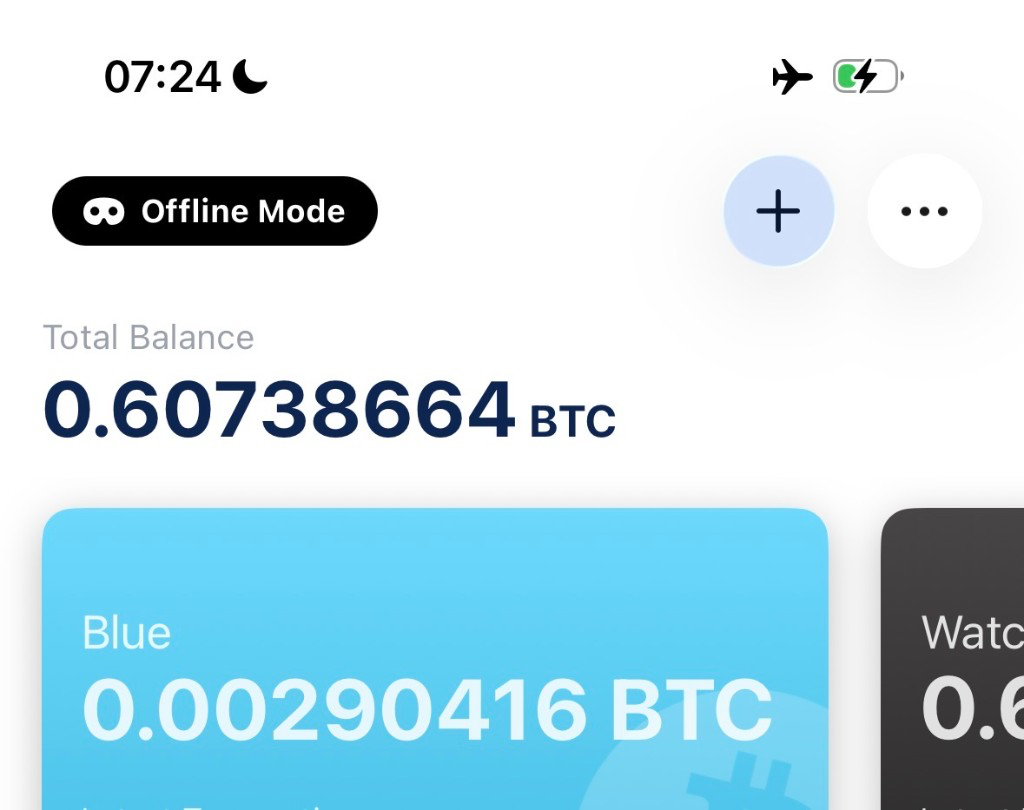
Turn on Offline Mode in BlueWallet
BlueWallet has its own Offline Mode setting that stops the app from trying to reach any Electrum server, even if a network happens to be available.
- Go to Settings.
- Tap Network, then Electrum Server.
- Turn on Offline Mode.
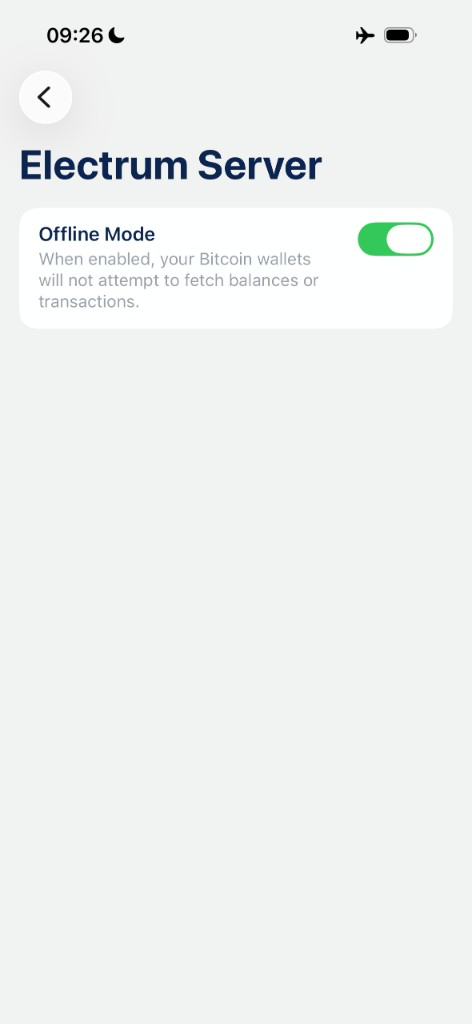
With Offline Mode on, your wallets will not attempt to fetch balances or transactions. This is expected and safe: a signing-only cold wallet does not need to know its balance to sign a transaction someone else built.
Create or import a seed phrase offline
With Airplane Mode and Offline Mode both on, you can safely generate or restore the wallet that will live permanently on this device:
- Create a new wallet: follow Create a Bitcoin wallet as usual. BlueWallet generates the recovery phrase locally on the device; no network call is involved.
- Import an existing seed: follow Import a wallet to restore a recovery phrase you already have. Since the device is offline, BlueWallet cannot look up balances or transaction history during import, it simply derives the addresses and keys from the words you enter.
- Consider Adding manual entropy (dice rolls or coin flips) when creating a new wallet, for extra confidence in the randomness of your seed.
Once the wallet exists, write down the recovery phrase on paper or metal and store it separately from the device itself.
Using a passphrase for extra security
You can add a BIP39 passphrase (sometimes called the “25th word”) to your offline wallet for an additional layer of protection:
- When importing a seed, tap ⋯ on the import screen and enable Passphrase before entering your words. See Import with a passphrase for the full steps.
- The same 12 or 24 words combined with a different passphrase produce a completely different wallet, so even if someone finds your paper backup, they cannot access funds without also knowing the passphrase.
- Memorize the passphrase or store it separately from the seed words. Losing it means losing access to that specific wallet, since BlueWallet cannot recover a forgotten passphrase.
Using the cold wallet day to day
- On your everyday online phone, create a watch-only wallet using the offline device’s XPUB (see Wallet details → Show Wallet XPUB, generated on the offline device, transferred by QR code).
- Build a transaction on the watch-only wallet. It produces an unsigned transaction as a QR code or file.
- Scan or import that transaction on the offline device to sign it.
- Transfer the signed transaction back to an online device and use Broadcast a transaction to send it to the network.
The seed phrase itself never has to leave the offline device or touch anything connected to the internet.
Tips
- Never disable Airplane Mode or Offline Mode “just for a moment” on this device. Treat it as permanently offline, like a hardware wallet.
- Keep the device charged and stored securely, physical access is the main risk to a cold wallet.
- Test the full sign-and-broadcast flow with a small amount before relying on this setup for larger balances.
- Back up the seed phrase (and passphrase, if used) before you consider the setup complete. The device can be lost or damaged; your backup is what actually protects your funds.
Related
- Sign a transaction offline, the watch-only and signing workflow this setup is built around
- Import with a passphrase, add a 25th word to any imported wallet
- Backup and export a wallet, save your recovery phrase safely
- Adding manual entropy, extra randomness when creating a new seed