
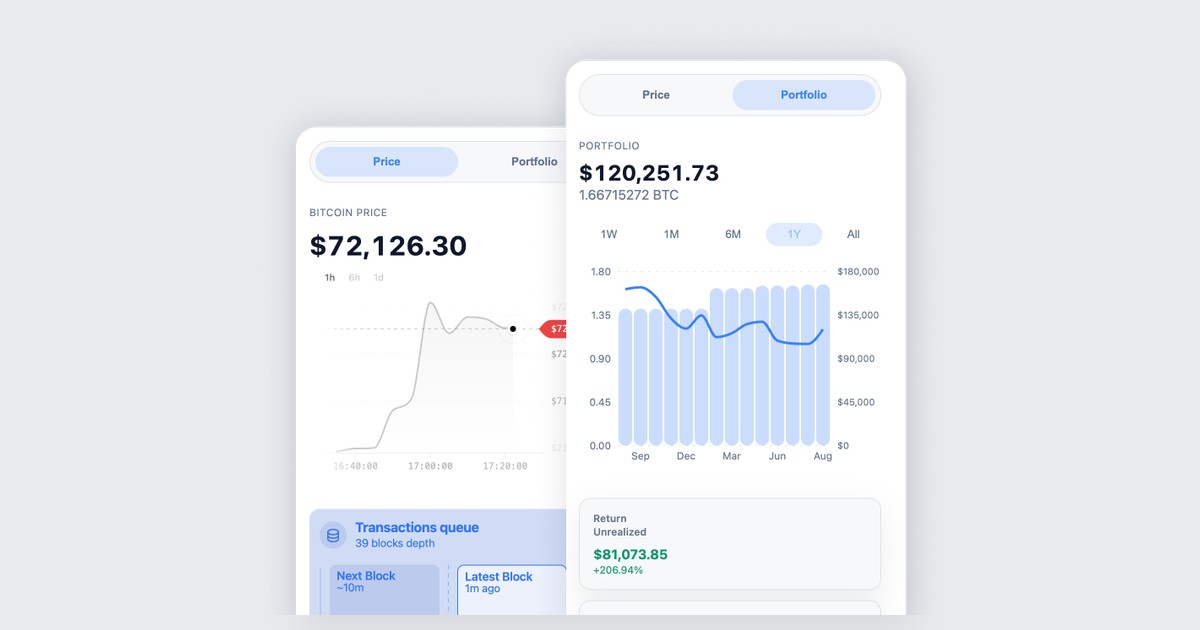
We shipped a Chrome extension. It watches bitcoin you already hold. It cannot spend it.
BlueWallet Portfolio sits beside the tab you are already on: live price, mempool, fees, and a USD view of the coins you pointed it at. Addresses or an xpub. That is the whole product.
If you wanted a wallet in the browser, this is not that. Keys never belong in an extension. We did not forget send. We left it out.
What it is
A watch-only side panel for Chrome. Add a Bitcoin address or an xpub, ypub, or zpub. It keeps a live view of balances, USD value, cost basis, and unrealized return, based on when confirmed coins first showed up. You can label accounts (cold storage, spending, whatever you actually call them), open a UTXO list, and drop a watched account when you are done with it.
Price and mempool live in the same panel. Next-block fees. Last blocks. A chart if you want to stare at one. Light or dark follows the system. Full-page view if the side panel feels tight.
The list stays on your machine. There is no account to create and no remote wallet backend to log into.
Get it from the Chrome Web Store, or start at BlueWallet Portfolio.
What it will not do
No sending. No Lightning. No recovery from a seed. Private keys are not accepted, and there is no path that pretends they are.
USD only, for now. Cost basis and the coin list track confirmed coins. Unconfirmed activity is not treated the same way.
If you need to move coins, recover a wallet, or hold keys, that is the BlueWallet app. The extension is glasses. The app is the vault, or the hot wallet, depending on what you imported.
Address or xpub
One address watches that one output. Fine for a donation leftover. Not a savings account.
An extended public key watches the whole account as new coins arrive. zpub is the usual pair for a Native SegWit wallet. You copy it from Wallet details, then Show Wallet XPUB, on the device that holds the keys.
An xpub cannot spend. It can show every address and balance in that account. Add it here, or in a watch-only wallet you trust. Do not paste a seed into Chrome. If you are still sorting watch-only versus import, we already wrote that down: How to set up a watch-only wallet in BlueWallet.
Why a browser at all
You already live in tabs. Checking a cold stack should not mean unlocking the phone that holds the seed, or importing those words “just to see the number.” The number can live next to the article you are reading. The keys stay where they were.
And if you just want to watch the live Bitcoin price feed like a maniac, the side panel does that too. No keys required.
Hyperbitcoinization is not a slogan if the only portfolio view you have is an exchange.
Related reading: BlueWallet Portfolio · How to set up a watch-only wallet in BlueWallet · Watch-only Wallet